
Service(Kotlin)
多线程编程
线程的四种形式
1
2
3
4
5
6
7
class MyThread:Thread(){
override fun run(){
//编写具体逻辑
}
}
//启动
MyThread.start()1
2
3
4
5
6
7
8class MyThread:Runnable{
override fun run(){
//编写具体逻辑
}
}
//启动
val myThread=MyThread()
Thread(myThread).start()1
2
3Thread{
//编写具体逻辑
}.start()1
2
3thread{
//编写具体逻辑
}最后一种是Kotlin内置的顶层函数,更加简单方便
在子线程中更新UI
- 定义一个整型变量表示更新UI的动作
- 新增一个Handler对象,重写父类handleMessage()方法,在这里对UI进行具体操作
- 开启子线程
- 创建Message对象
- 指定what字段值
- 调用sendMessage()方法发送Message
解析异步消息处理机制
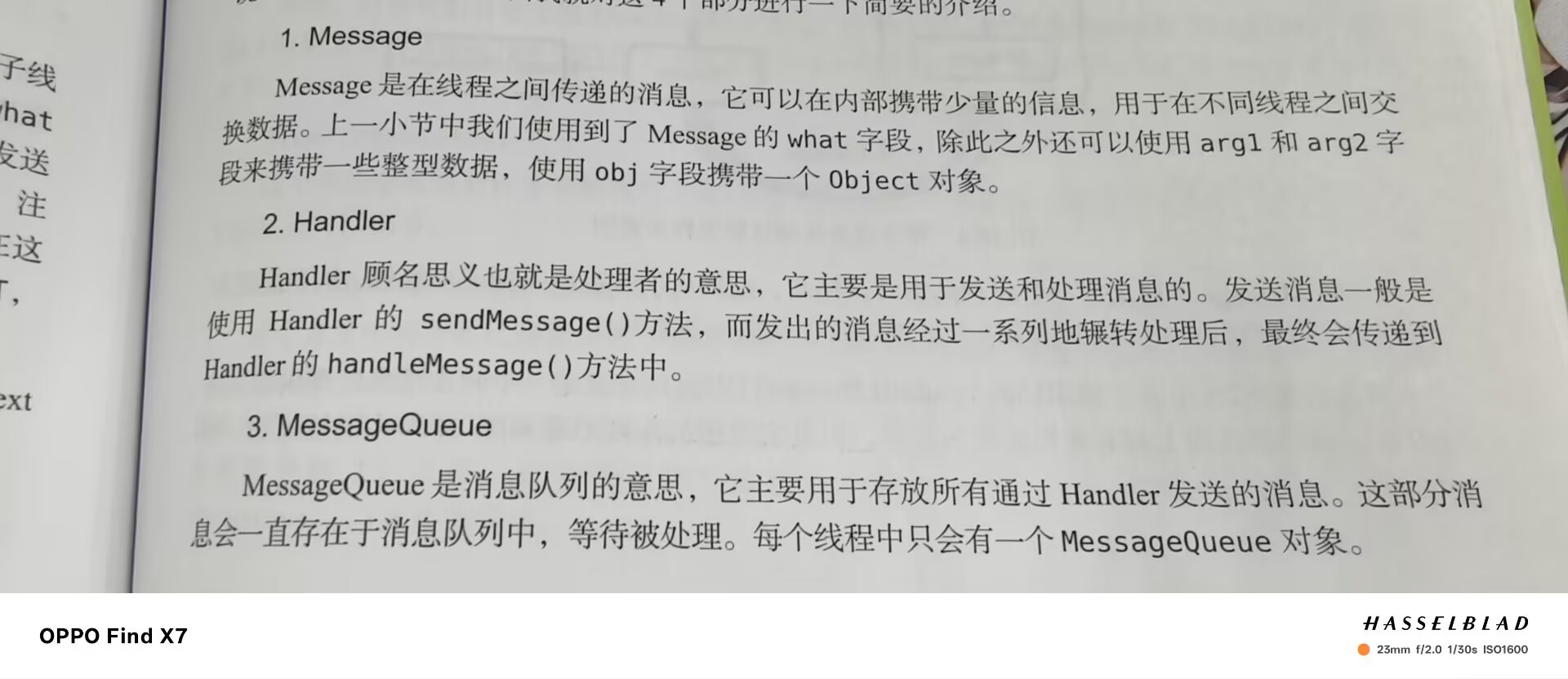

使用AsyncTask
1.创建一个子类去继承它,需要传入三个参数如下
Params:在后台任务中使用
Progress:可以作为进度单位
Result:返回值类型
2.重写父类方法如下:
onPreExecute():界面上的初始化操作
doInBackground(Params…):所有代码都在子线程中运行,在这里处理耗时任务
onProgressUpdate(Progress…):对UI进行操作
onPostExecute(Result):后台任务执行完毕并通过return语句返回时,这个方法被调用
3.启动任务
DownloadTask().execute()
Service
基本用法
- 定义service,直接用AndroidStudio系统新建
- 利用Intent启动和停止Service
1 | class MyService : Service() { |
1 | binding.start.setOnClickListener { |
Activity和Service进行通信
拿下载功能举例
Service中提供一个下载功能,Activity中可以决定何时开始下载以及随时查看下载进度
1 | private val mBinder=DownloadBinder() |
创建ServiceConnection的匿名类实现
重写父类的两个方法
利用intent和bindService进行绑定
利用unbindService()方法解绑
1
2
3
4
5
6
7
8
9
10
11
12
13
14
15
16
17
18
19
20
21
22
23
24
25
26
27
28
29
30
31
32
33
34lateinit var downloadBinder:MyService.DownloadBinder
private val connection=object :ServiceConnection{
//成功绑定时使用
override fun onServiceConnected(name: ComponentName?, service: IBinder?) {
downloadBinder=service as MyService.DownloadBinder
downloadBinder.startDownload()
downloadBinder.getProgress()
}
//Service创建进程崩溃或被杀掉时调用
override fun onServiceDisconnected(name: ComponentName?) {
TODO("Not yet implemented")
}
}
override fun onCreate(savedInstanceState: Bundle?) {
super.onCreate(savedInstanceState)
enableEdgeToEdge()
binding=ActivityMainBinding.inflate(layoutInflater)
setContentView(binding.root)
ViewCompat.setOnApplyWindowInsetsListener(findViewById(R.id.main)) { v, insets ->
val systemBars = insets.getInsets(WindowInsetsCompat.Type.systemBars())
v.setPadding(systemBars.left, systemBars.top, systemBars.right, systemBars.bottom)
insets
}
binding.bind.setOnClickListener {
val intent=Intent(this,MyService::class.java)
//绑定Service
bindService(intent,connection, Context.BIND_AUTO_CREATE)
}
binding.unbind.setOnClickListener {
//解绑Service
unbindService(connection)
}
}
Service更多技巧
使用前台Service
调用startForeground方法会让一个service变成前台服务
声明权限
1
2
3
4
5
6
7
8
9
10
11
12
13
14
15
16
17
18override fun onCreate() {
Log.d("MyService", "onCreate: ")
val manager=getSystemService(Context.NOTIFICATION_SERVICE) as NotificationManager
if(Build.VERSION.SDK_INT>=Build.VERSION_CODES.O){
val channel=NotificationChannel("my_service","前台Service通知",NotificationManager.IMPORTANCE_DEFAULT)
manager.createNotificationChannel(channel)
}
val intent=Intent(this,MainActivity::class.java)
val pi=PendingIntent.getActivity(this,0,intent, PendingIntent.FLAG_IMMUTABLE)
val notification=NotificationCompat.Builder(this,"my_service")
.setContentTitle("This is title")
.setContentText("This is Context")
.setSmallIcon(R.drawable.ic_launcher_foreground)
.setLargeIcon(BitmapFactory.decodeResource(resources,R.drawable.ic_launcher_background))
.setContentIntent(pi)
.build()
startForeground(1,notification)
}1
<uses-permission android:name="android.permission.FOREGROUND_SERVICE" />
IntentService
- 新建一个类继承IntentService
- 实现onHandleIntent()抽象方法,这个方法用于处理耗时的逻辑(在子线程中运行li)
- 利用Intent启动IntentService
- 注册IntentService
1 | class MyIntentService : IntentService("MyIntentService") { |
1 | binding.startintent.setOnClickListener { |
1 | <service |
本博客所有文章除特别声明外,均采用 CC BY-NC-SA 4.0 许可协议。转载请注明来源 Auroraの世界!